
BLOG 3
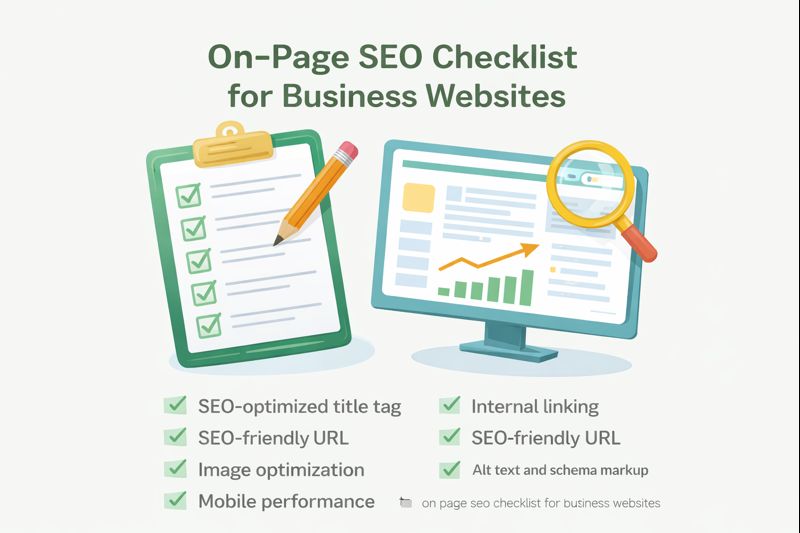
On-Page SEO Checklist: Rank Higher, Get Traffic & Sales (Beginner-Friendly Guide) If your website is not showing on Google, it is not unlucky – it is not optimized. Most business owners think:“I have a website, so I should get traffic.” But Google works differently. Google ranks websites that follow a proper on page SEO checklist. This guide will show you exactly how to optimize your pages so Google understands them, ranks them higher, and sends you real traffic, leads and customers. No technical jargon.No coding.Just proven SEO that works. What Is On-Page SEO? On-page SEO means optimizing everything inside your website pages so Google understands what your page is about. It includes: • Title tag SEO• H1, H2, H3 structure• Content• Internal linking SEO• Image SEO optimization• Schema markup SEO• Page speed• Mobile friendliness In simple words: On-page SEO tells Google how to rank you. Why On-Page SEO Is So Important for Businesses A salonA clinicA coaching centerAn agencyAn online store But if Google cannot understand your website… You get: No trafficNo callsNo inquiriesNo sales On-page SEO is the foundation of: • Local SEO for businesses• Organic traffic• Lead generation Even if you run ads, your landing pages still need SEO. That’s why on page SEO for beginners is the most important digital skill. The Ultimate On-Page SEO Checklist This is the same checklist we use for our Mahika Media clients. Follow it step-by-step. 1. SEO-Optimized Title Tag Your title tag is the first thing users see on Google. Example: On-Page SEO Checklist for Business Websites – Mahika Media Your title should: • Contain your main keyword• Be under 60 characters• Be easy to understand• Make people click Title Tag SEO Formula Primary Keyword + Benefit + Brand Bad:Home Good:On-Page SEO Checklist for Small Businesses – Mahika Media 2. Meta Description Optimization This is the small text under your title on Google. It should: • Explain what the page is about• Include your keyword• Encourage clicks Example: Learn the ultimate on page SEO checklist for beginners. Optimize titles, images, links and schema to rank your business website. This increases your CTR (Click-Through Rate). More clicks = higher ranking. 3. H1, H2, H3 in SEO (Structure Matters) Google reads your headings to understand your content. Correct structure: Tag Use H1 Main topic (only one) H2 Main sections H3 Sub-sections Example: H1 – Ultimate On-Page SEO ChecklistH2 – What Is On-Page SEOH3 – Why It Matters for Business Websites Never skip heading levels. This improves readability and on page SEO optimization. 4. SEO-Friendly URL Bad URL:mahikamedia.com/page?id=52 Good URL:mahikamedia.com/on-page-seo-checklist Rules: • Use keywords• No special characters• Use hyphens• Keep it short This helps Google crawl your site faster. 5. Internal Linking SEO Internal links connect one page of your website to another. They help: • Google crawl your site• Users stay longer• Pages rank higher Every blog should link to: • Local SEO for businesses• SEO vs Google Ads• Landing page optimization This creates a strong SEO network inside your website. 6. Image SEO Optimization Images can either help or hurt your SEO. Follow this: • File name:on-page-seo-checklist.jpg • Alt text:“on page SEO checklist for business website” • Compress image size This improves: • Google image search• Page speed• Accessibility And page speed is a ranking factor. 7. Schema Markup SEO Schema tells Google what your page really means. It helps you get: • FAQ boxes• Star ratings• Rich results Important schema for businesses: • Organization• Local Business• Article• FAQ Schema markup SEO increases trust and click-through rate. 8. Mobile & Page Speed Optimization Google is mobile-first. Your website must: • Load under 3 seconds• Work perfectly on mobile• Have clear text Slow websites lose customers. And rankings. Who Should Use This Checklist? Recommended SEO Tools for Beginners If you want faster results from this on-page SEO checklist, you also need the right tools. ✔ Best laptop for digital marketing✔ Best web hosting for SEO websites✔ Best keyword research tools How On-Page SEO Works with Ads & Landing Pages Running ads without SEO wastes money. Your landing pages must be optimized. That’s why: • Landing page optimization• SEO vs Google Ads• On-page SEO All work together. Better SEO =Lower ad costHigher conversionMore profit Who Should Use This Checklist? This guide is perfect for: • Small business owners• Startups• Local businesses• Entrepreneurs• Freelancers Anyone who wants Google traffic. Final Thoughts On-page SEO is not optional anymore. If you want: TrafficLeadsCallsSales You must follow a proper on page SEO checklist. This guide gives you the roadmap. Get Professional SEO Help from Mahika Media If you want your website to rank higher and bring real customers… Let Mahika Media handle it. We provide: • On-page SEO optimization• Local SEO• Landing page optimization• SEO audits• Lead-driven strategies 👉 Contact Mahika Media today and turn your website into a powerful lead-generation system. 🚀 SEO-Optimized FAQ Q1.What is on-page SEO checklist?An on-page SEO checklist is a step-by-step process to optimize titles, content, images, links and structure so a page ranks higher on Google. Q2. Is on-page SEO important for small businesses? Yes. On-page SEO helps small businesses get free Google traffic, leads and customers without spending on ads. Q3. Does image SEO help ranking?Yes. Optimized images with proper file name and alt text improve page speed, Google image rankings and accessibility. Q4. What is schema markup in SEO?Schema markup is code that helps Google show rich results like FAQs, star ratings and extra details in search results. Q5. How long does on-page SEO take to work?On-page SEO usually starts showing results within 2–6 weeks depending on competition and content quality. Social Media Caption – On-Page SEO Checklist: Rank Higher, Get Traffic & Sales 🚀 Want your website to rank on Google? Most businesses fail because their websites are not optimized. We just published the Ultimate On-Page SEO Checklist for beginners and business owners. Learn how to use:✔ H1, H2, H3✔ Image SEO✔ Internal links✔ Schema markup And turn your website into a lead-generating machine. 👉 Read now on